Blog
Tips, guides, and productivity ideas to help you turn any content into audio and make the most of your time.
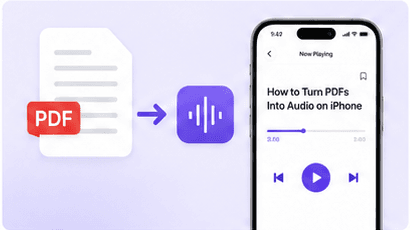
How to Turn Any PDF Into Audio on iPhone
Listen to PDFs, ebooks, and articles with natural voices-anytime, anywhere. Here is how to get started in minutes.
 Daniel K.May 8, 2026 • 6 min readRead article →
Review your notes: listen, pause, recall, check
Give listening a clear question, then check what you can explain without looking. Your own notes remain the reference.
 Read AloudNov 5, 2026 • 3 min read→
A table isn’t a sentence: combine reading and listening
Audio can carry an explanation, while a table relies on its layout. Give each part of your document the kind of attention it needs.
Read AloudNov 2, 2026 • 3 min read→An acronym sounds unfamiliar? Go back to the text
A name sounds unexpected, or a group of letters is read as a word. Use the original text to find out what you are actually hearing.
Read AloudOct 29, 2026 • 3 min read→Check your document version before you listen
A file can open correctly and still be the wrong edition. A few checks help you identify the copy you are about to hear.
Read AloudOct 26, 2026 • 3 min read→Find a listening speed that fits your text
A familiar story and a dense explanation do not ask the same thing of your ears. Use a short passage to find a pace you can follow comfortably.
Read AloudOct 21, 2026 • 4 min read→From printed page to spoken words: make a scan worth listening to
A clear scan is only the beginning. Check the text, test a short passage and keep the original nearby when you listen.
Read AloudOct 15, 2026 • 4 min read→Before you hit send, listen to your draft
A draft can look finished and still sound confusing. Use a listening pass to decide what deserves another edit.
Read AloudOct 13, 2026 • 5 min read→How to Listen to Saved Articles on Your iPhone During Your Commute
Turn your read-later list into listening time. Learn how to bring web articles into Read Aloud on iPhone and prepare for your next commute.
Read AloudOct 5, 2026 • 4 min read→Best Text to Speech App for PDFs
See why PageToVoice is built for turning PDFs into natural-sounding audio.
 Sarah J.Apr 29, 2026 • 5 min read→
How to Listen to EPUB Books Offline
Take your library anywhere. Learn how to download and listen to EPUB books without Wi-Fi.
Daniel K.Apr 23, 2026 • 4 min read→Why Read Along With Text Highlighting?
Boost comprehension and focus by reading along while you listen with synchronized highlighting.
 Maya L.Apr 17, 2026 • 4 min read→
Translate Articles While Listening
Break language barriers. Translate articles in real time and listen in your preferred language.
Daniel K.Apr 10, 2026 • 5 min read→Sleep Timer for Bedtime Reading
Fall asleep to your favorite content with the built-in sleep timer and wake up refreshed.
Maya L.Apr 3, 2026 • 3 min read→75,000 Free Ebooks You Can Listen To
Access public-domain books from Project Gutenberg and listen with PageToVoice.
Sarah J.Mar 27, 2026 • 4 min read→